Jobs
Switching jobs, levelling each one, unlocking new jobs, and ascending a job to carry its abilities into the others.
For playersOn sims that use jobs, your class is your current job, and every job you’ve unlocked keeps its own level and XP. Open Jobs under Settings on your HUD.
Your jobs
The page shows your current job and its XP, then every job you’ve unlocked. Your current job has a tick. Press Switch on another, or type @job <name> in chat.
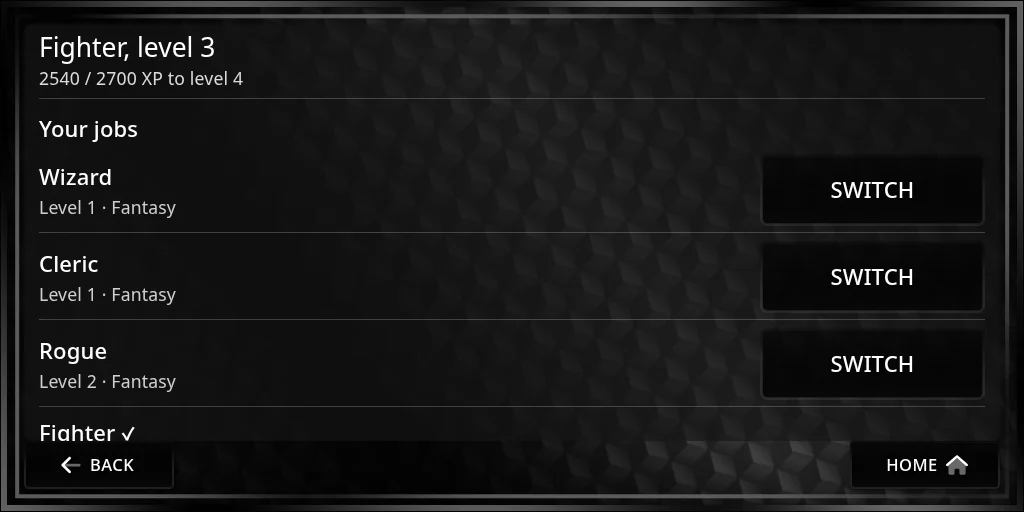 You can switch any time you’re not in a fight. Your new job’s abilities and stats apply at once, and gear it can’t use comes off.
XP goes to the job you’re playing. A new job starts at level 1.
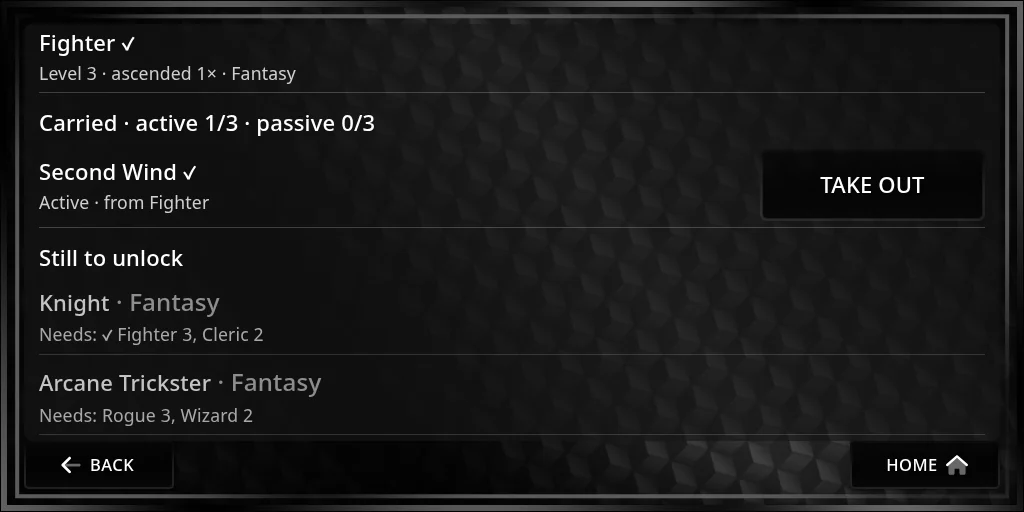
Still to unlock lists the jobs you can work towards and what each needs, such as another job at level 3. A tick marks what you already have: below, Knight needs Fighter 3, which is done, and Cleric 2, which isn’t yet. When you meet them all, the job unlocks and the HUD tells you. Some jobs stay hidden until you unlock them.
Ascending
Once a job reaches its top level, you can Ascend:
- Press Ascend. The page lists what you can carry from the job’s lower levels, with Carry beside each.
- Press Carry on the one you want. The HUD asks you to confirm, and reminds you the job goes back to level 1 with no XP.
- Press Ascend. What you picked is yours to carry, with any job.
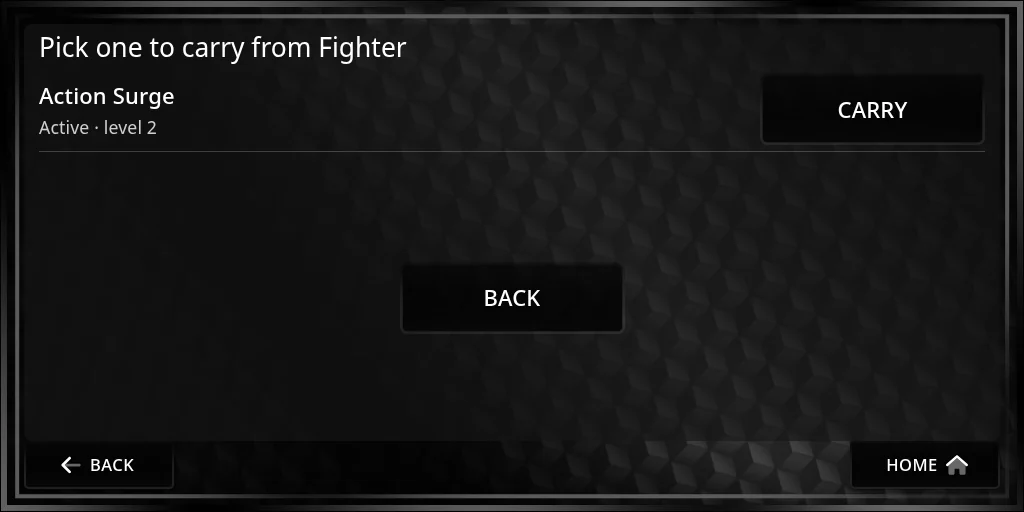
Something you’ve already carried isn’t offered again. When there’s nothing left, the page says “You already carry everything this job can give.” You can’t ascend during a fight.
You can ascend the same job again each time it reaches the top, picking something different each time.
Carried abilities and passives
What you’ve carried is listed under Carried, with your slots, for example “active 1/3 · passive 0/3”: a few for active abilities and a few for passives. Press Use to put one in a slot, or Take out to free the slot. Slotted abilities show with your other abilities in every job, and slotted passives add their stats. Slots can’t change during a fight.